Key Takeaways
- Approximately 95% of Switch games are compatible with Switch 2
- Fewer than 500 titles require patches or workarounds to function properly
- Motion-control dependent games are most likely to have compatibility issues
- Nintendo's official compatibility tool should be your first resource
- Save transfers work for roughly 90% of games
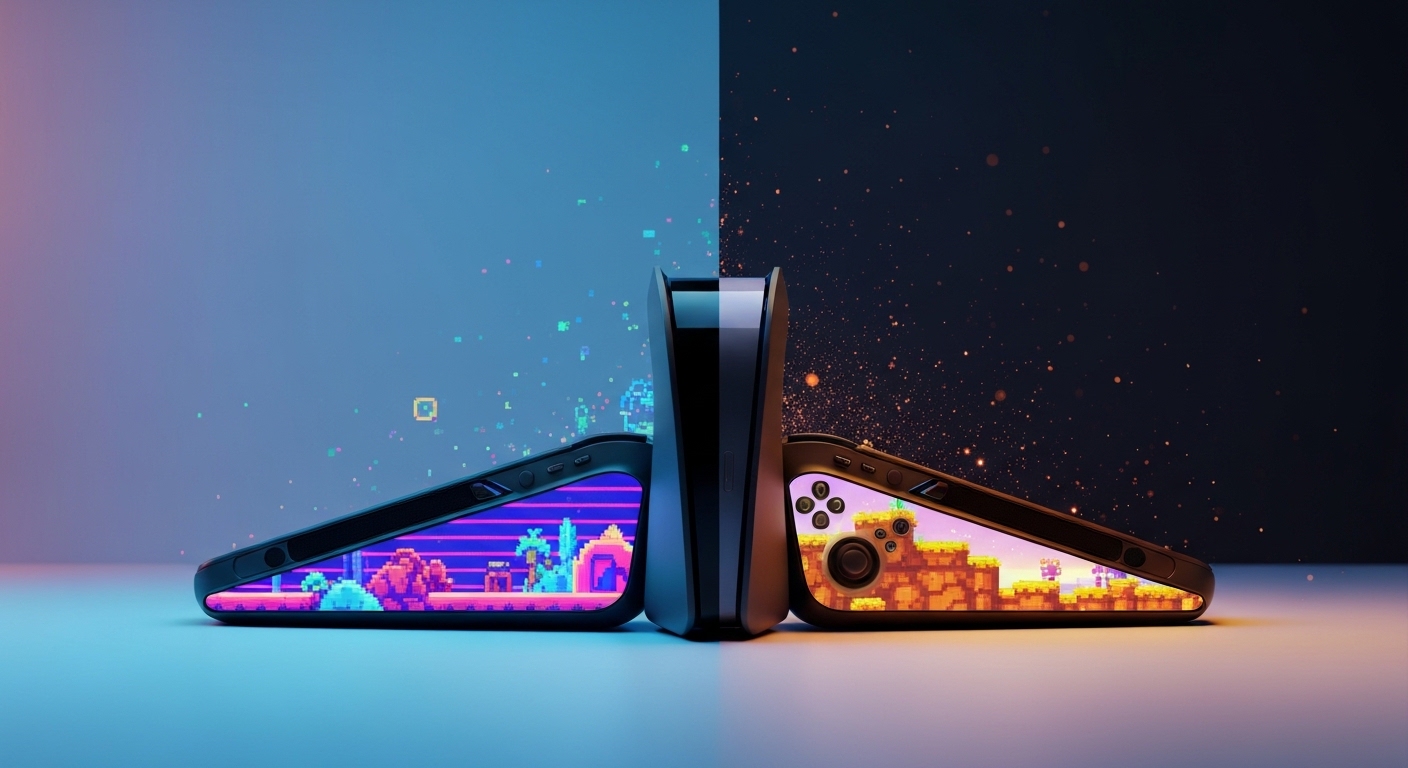
Switch 2 backwards compatibility reportedly covers the vast majority of the original Switch library, with approximately 95% of digital titles functional on the new hardware. Nintendo has reportedly released ongoing fixes to optimise performance and resolve edge-case issues. Most of your existing games will work on day one, though a small number of titles — particularly those relying heavily on motion controls — may need patches to run properly.
Your $300 game library probably still works. Probably.
Switch 2 backwards compatibility is, for most people, a non-issue. You pick up your old cartridge, slot it in, and off you go. According to reports, the vast majority of the Switch library would carry over to the new hardware. Over 10,000 titles were released on the original Switch. Getting that right matters.
But "probably fine" and "definitely fine" are two different promises. Some games need patches. Some saves don't transfer. Some motion-control titles are in an awkward purgatory that only a developer update can fix. This guide tells you exactly which category your games fall into — and what to do if they don't.
(The fact that you're already Googling this suggests you've either just bought a Switch 2 or you're very close to it. Either way, keep reading.)
Switch 2 backwards compatibility overview: the good news first
Approximately 95% of Switch games reportedly function on Switch 2 hardware, according to reports. Out of a library exceeding 10,000 titles, that leaves fewer than 500 games requiring patches or workarounds. By any reasonable measure, that's a solid result. Nintendo has been coordinating with publishers since approximately April 2025 to push fixes for the problematic titles.
Here's the short version of how compatibility works:
- Physical cartridges slot straight into Switch 2. The card slot is compatible. No adapter required.
- Digital purchases carry over through your Nintendo Account. If you bought it, you can download it.
- Save data transfers in approximately 90% of cases. The 10% that don't are mostly titles with cloud-save restrictions or hardware-specific save formats.
- Performance is generally equal to or better than the original Switch, with some titles receiving framerate improvements as a side effect of the more capable hardware.
The 99% figure you may have seen elsewhere refers specifically to top-selling titles — the games most people actually own. Your copy of Breath of the Wild, Mario Kart 8 Deluxe, or Hollow Knight is almost certainly fine. It's the edge cases — niche titles, motion-control-heavy games, and a handful of older digital releases — where things get complicated.
Rule of thumb: if the game sold well and has an active developer, it works. If it's a five-year-old digital-only release from a studio that's since gone quiet, check the compatibility tool before assuming.
Switch games receiving compatibility fixes: monthly updates through 2026
Nintendo has been releasing compatibility fix announcements on a rolling basis throughout 2026. Developers reportedly continue addressing edge cases and hardware-specific incompatibilities. That's the polite way of saying: some games launched broken on Switch 2, and the patches are arriving in batches.
The fix process typically works like this. Nintendo identifies titles that don't run correctly — whether that's a framerate issue, a crash on startup, or a control mapping problem. They flag it to the publisher. The publisher either patches the game or Nintendo adjusts its compatibility layer to handle it. The updated status shows up on the official compatibility page.
Monthly update announcements from Nintendo have been the primary way players track which games have moved from "problematic" to "verified." If you have a title that wasn't working at launch, it's worth checking back regularly. Fixes have been arriving at a reasonable clip.
Games most commonly requiring patches tend to fall into a few categories:
- Titles relying heavily on IR camera features
- Games built around HD Rumble in ways the new hardware handles differently
- Motion-control-dependent titles (a reportedly small but non-zero percentage)
- Older games using deprecated software libraries
June 2026 compatibility updates: what actually changed
June 2026 brought one of the larger batch updates to Nintendo's compatibility status list. Multiple titles that had been flagged as "limited compatibility" moved to fully verified status. Nintendo published the changes through its official compatibility page, and the gaming press covered the headline numbers.
The June updates were particularly significant for motion-control titles. Several games that required adaptation — where the new Joy-Con controllers handle gyro input differently — received patches that brought them into full working order. That reportedly small percentage of motion-control-dependent games had been a persistent complaint from players; June 2026 addressed a meaningful chunk of them.
If you were waiting on a specific title before upgrading, June 2026 was a reasonable milestone. Nintendo's ongoing fix cadence means October or November 2026 will likely bring another wave. They're not done.
Nintendo's official compatibility tool: use this first
Nintendo maintains an official compatibility page where you can check any game's current status. Before you assume your library is fine — or before you panic that a game won't work — this is the first stop. It's the most current source, and it updates as fixes roll out.
The tool categorises games into a few statuses: fully compatible, compatible with minor issues noted, requiring a patch (with patch status indicated), and not currently compatible. That last category is small. The middle two are where most of the interesting edge cases live.
You can check by game title or by publisher. If you're doing a bulk assessment of a large library before deciding to upgrade, the publisher filter is genuinely useful. Check Nintendo's official Switch backwards compatibility support page at nintendo.com/support for the most current list.
Performance on Switch 2 vs original Switch
Playing a backwards-compatible Switch game on Switch 2 is not identical to playing it on the original hardware. In most cases, it's better. The Switch 2's more capable processor and GPU mean some games run at higher or more stable framerates without any developer intervention. They weren't patched. They just... run better.
This is particularly noticeable in open-world titles that had framerate dips on original Switch hardware. Games that stuttered during busy scenes tend to hold their target framerate more consistently on Switch 2. Whether that constitutes an "improvement" or just "functioning as intended" is a philosophical question, but players notice it either way.
The caveat: Nintendo hasn't officially marketed this as a feature in the way Sony does with PS5's backwards compatibility boost mode. It's a byproduct of more capable hardware, not a deliberate optimisation programme. Some games cap their framerate regardless of hardware capability, so you won't always see a difference even if the Switch 2 could theoretically push more frames.
Real performance benchmarks: the numbers that surprised people
Independent testing has been the most revealing part of the Switch 2 backwards compatibility story. When reviewers and enthusiasts actually ran side-by-side comparisons, a few results stood out.
Open-world titles that ran at a variable 20–30fps on original Switch hardware were reportedly holding closer to 30fps with greater consistency on Switch 2. Games with significant pop-in issues showed reduced draw distance problems. Load times — even for physical cartridges — came down in some titles, likely due to faster storage throughput on the new hardware.
The tests also revealed which games were framerate-capped in software. A handful of titles showed zero difference between the two systems, because the developer had hard-locked the framerate and the Switch 2's extra headroom simply went unused. That's not a compatibility failure. That's a developer decision — and arguably the more frustrating scenario, because there's nothing Nintendo can do about it.
Worth noting: these performance improvements apply to backwards-compatible Switch games only. Nintendo Switch 2 native titles are a separate category entirely, and their performance profiles are determined by how developers use the new hardware, not by backwards compatibility mode.
When a game won't play nicely: a short troubleshooting guide
If a Switch game isn't behaving on your Switch 2, work through this before concluding it's broken.
- Check the official compatibility page. The game may be listed as "known issue — patch pending." If so, waiting is the answer.
- Check for a game update. The fix may already exist but hasn't downloaded yet. Make sure automatic updates are on, or trigger a manual check from the game menu.
- Check your save data. If the game loads but your save is gone, Nintendo's save transfer tool handles approximately 90% of cases. For the remaining 10%, the game's own cloud save system (if it has one) may be the backup option.
- Re-download the game. Sounds basic. Works occasionally. Corrupted downloads happen on any system.
- Check control remapping. Motion-control-dependent games may need manual configuration in the Switch 2's system settings to map inputs correctly.
- Contact the publisher. If a patch hasn't arrived and the game is listed as having issues, the publisher is aware. A support ticket creates a paper trail and occasionally accelerates things.
Nine times out of ten, it's either a pending patch or a missed update. The outright incompatible titles are a genuinely small group.
How Nintendo certifies backwards compatibility: the bit nobody explains
Nintendo doesn't just run Switch games and hope for the best. There's a certification process. As of reports from early 2025, Nintendo's internal teams were conducting compatibility verification testing across the Switch library — a systematic sweep to identify which titles worked, which needed fixes, and which required publisher coordination.
The criteria reportedly include: stable launch without crashes, core gameplay functioning correctly, no data corruption on save files, and control input mapping working within acceptable tolerance. Graphics and framerate discrepancies below a certain threshold reportedly don't block certification — which explains why some games can be "certified compatible" while still running slightly differently than on original hardware.
Publishers are brought in when a title fails Nintendo's internal checks and the fix requires a game-side patch rather than a system-level adjustment. That coordination reportedly began in earnest around April 2025. The games requiring patches at Switch 2 launch were mostly already known — the April coordination was about getting those patches ready for, or shortly after, launch day.
It's a more rigorous process than people assume. It's also not perfect — which is why the monthly updates exist.
The numbers, presented without apology
An opinion you didn't ask for, backed by a number you'll find useful
Nintendo's backwards compatibility approach is the right call, and the 95% figure undersells how well they've executed it. Here's why that number matters more than it looks: Sony launched the PS5 with PS4 backwards compatibility that covered approximately 99% of titles, and the gaming press treated it like a miracle. Nintendo is within touching distance of that figure on a platform transition with a fundamentally different hardware architecture — and they've done it while maintaining physical cartridge compatibility, which Sony dropped entirely with the PS5 Slim's disc-less direction.
The strong opinion: Don't wait for 100% compatibility before upgrading. It's not coming. There will always be a handful of titles in the "limited compatibility" bucket, because some games were built around hardware features the Switch 2 handles differently. Waiting for perfect is how you miss two years of the new library while your original Switch collects dust. If your specific must-play titles are in the 95%, upgrade now. Check the official tool for those specific games — not the overall percentage — and make the call on that basis.
The scenario where you should NOT upgrade yet: you own a large library of motion-control-heavy titles that are still in patch-pending status, and those games represent a significant portion of what you actually play. In that case, another month or two of waiting is a reasonable decision. The patches are coming. Rushing a $400+ console purchase for a library you can't fully use is not a great Tuesday.
The 90% save transfer figure is the one to watch. If you have extensive save files in games you care about, verify those specific titles before assuming your progress carries over. Losing 200 hours of a save file is the kind of thing that makes a person philosophical about impermanence. Or, more likely, very angry on a forum.
Frequently Asked Questions
Is the Nintendo Switch 2 backwards compatible?
Yes. Switch 2 maintains broad backwards compatibility with original Switch games. Approximately 95% of digital titles reportedly function on the new hardware. Physical cartridges are compatible with the Switch 2's card slot. A small number of titles require patches to run correctly, and Nintendo has been releasing ongoing fixes throughout 2026.
Will my old Switch games work on Switch 2?
Almost certainly, yes. Reports indicate approximately 99% of top-selling Switch titles are compatible. The games most likely to have issues are older digital-only titles, motion-control-heavy games, or titles from publishers who are no longer actively supporting them. Check Nintendo's official compatibility tool for your specific games before upgrading.
How do I transfer my games to the Nintendo Switch 2?
Digital purchases transfer through your Nintendo Account — log in on the Switch 2 and your purchased games are available to download. Physical cartridges work directly in the Switch 2's card slot. Save data transfers via Nintendo's official save transfer tool, which reportedly works for approximately 90% of titles. Some games with cloud save support also offer an alternative backup path.
What's the difference between Switch and Switch 2 game compatibility?
Switch games running on Switch 2 run in backwards compatibility mode. Most perform identically or slightly better due to the more powerful hardware. Switch 2 native titles are a separate category, built specifically for the new hardware. Some backwards-compatible games benefit from more stable framerates on Switch 2, though this depends on whether the developer hard-capped the framerate in software.
Do I have to repurchase games for the Switch 2?
No — for standard backwards-compatible Switch games, you do not repurchase anything. Your existing digital library transfers via your Nintendo Account. Physical cartridges work without any additional cost. Some publishers have released Switch 2 enhanced editions of existing games as separate purchases, but the original versions remain playable for free under backwards compatibility. Nobody likes a double-dip. (Some publishers will try anyway.)
Can I use my old Switch cartridges on the Switch 2?
Yes. The Switch 2 accepts original Switch game cartridges directly. No adapter is required. Physical backwards compatibility is one of the cleaner aspects of the Switch 2 launch — slot it in, it runs. The only caveat is that a small number of cartridge-based games may still require a patch download to address compatibility issues, even if the game itself loads.
Which Switch games are not compatible with the Switch 2?
Fewer than 500 titles reportedly require patches or workarounds, out of a library exceeding 10,000 games. Outright incompatible titles — games that simply won't run — represent a genuinely small group. Games most likely to have issues include heavily motion-control-dependent titles, games using deprecated software libraries, and older digital releases from inactive publishers. Nintendo's official compatibility page lists current problem titles and their patch status.
Are Switch 2 backwards compatible games actually improved?
Sometimes, yes. The Switch 2's more capable hardware means some games run at more consistent framerates without any deliberate developer intervention. Open-world titles that struggled to hold 30fps on original Switch hardware often perform noticeably better. However, games with hard-capped framerates show no difference — the Switch 2's extra power simply goes unused. Independent testing has confirmed both scenarios depending on the title.
How do I check my game's compatibility status?
Nintendo maintains an official compatibility page that lists current status for Switch titles on Switch 2. You can search by game title or filter by publisher. The page updates as patches are released and compatibility statuses change. It's the most reliable source — more current than any third-party list, including this one. Check it specifically for the games you care about, not just the headline percentage.
Bottom line
Switch 2 backwards compatibility is, in practical terms, very good. The 95% figure is real, the save transfer process mostly works, and physical cartridges slot straight in without any drama. The gaps exist — fewer than 500 titles with issues, a small cluster of motion-control games in patch purgatory, and roughly 10% of saves that need an alternative transfer path. Nintendo is fixing things on a rolling basis throughout 2026, and monthly updates keep chipping away at the problem list.
Check the official tool for your specific games. Don't assume. Don't panic. And if your favourite game turns out to be in the awkward 5%, at least you'll know exactly which forum thread to be angry on.
Your library made it. Most of it, anyway — which is more than can be said for your save data from that one game you definitely finished and can't quite remember the ending of.